|
GRASS Programmer's Manual
6.5.svn(2014)-r66266
|
|
GRASS Programmer's Manual
6.5.svn(2014)-r66266
|
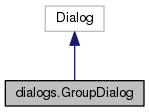
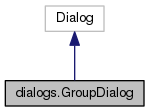
Dialog for creating/editing groups. More...
Public Member Functions | |
| def | __init__ |
| def | OnAddLayer |
| Add new layer to listbox. More... | |
| def | OnRemoveLayer |
| Remove layer from listbox. More... | |
| def | GetLayers |
| Get layers. More... | |
| def | OnGroupSelected |
| Text changed in group selector. More... | |
| def | GroupSelected |
| Group was selected, check if changes were apllied. More... | |
| def | ShowGroupLayers |
| Show map layers in currently selected group. More... | |
| def | EditGroup |
| Edit selected group. More... | |
| def | CreateNewGroup |
| Create new group. More... | |
| def | GetExistGroups |
| Returns existing groups in current mapset. More... | |
| def | ShowResult |
| Show if operation was successfull. More... | |
| def | GetSelectedGroup |
| Return currently selected group (without mapset) More... | |
| def | GetGroupLayers |
| Get layers in group. More... | |
| def | ClearNotification |
| Clear notification string. More... | |
| def | ApplyChanges |
| Create or edit group. More... | |
| def | OnApply |
| Apply changes. More... | |
| def | OnOk |
| Apply changes and close dialog. More... | |
| def | OnClose |
| Close dialog. More... | |
Data Fields | |
| parent | |
| defaultGroup | |
| currentGroup | |
| groupChanged | |
| bodySizer | |
| groupSelect | |
| layerBox | |
| addLayer | |
| removeLayer | |
| infoLabel | |
| subGroup | |
Dialog for creating/editing groups.
Definition at line 866 of file gui_core/dialogs.py.
| def dialogs.GroupDialog.__init__ | ( | self, | |
parent = None, |
|||
defaultGroup = None, |
|||
title = _("Create or edit imagery groups"), |
|||
style = wx.DEFAULT_DIALOG_STYLE | wx.RESIZE_BORDER, |
|||
| kwargs | |||
| ) |
Definition at line 870 of file gui_core/dialogs.py.
| def dialogs.GroupDialog.ApplyChanges | ( | self, | |
| showResult | |||
| ) |
Create or edit group.
Definition at line 1135 of file gui_core/dialogs.py.
References dialogs.GroupDialog.CreateNewGroup(), dialogs.GroupDialog.currentGroup, dialogs.GroupDialog.EditGroup(), dialogs.GroupDialog.GetExistGroups(), dialogs.GroupDialog.groupChanged, and dialogs.GroupDialog.ShowResult().
Referenced by dialogs.GroupDialog.GroupSelected(), dialogs.VDigitCategoryDialog.OnApply(), dialogs.GroupDialog.OnApply(), and dialogs.GroupDialog.OnOk().
| def dialogs.GroupDialog.ClearNotification | ( | self | ) |
Clear notification string.
Definition at line 1131 of file gui_core/dialogs.py.
Referenced by dialogs.GroupDialog.GroupSelected(), and dialogs.GroupDialog.ShowResult().
| def dialogs.GroupDialog.CreateNewGroup | ( | self, | |
| group | |||
| ) |
Create new group.
Definition at line 1079 of file gui_core/dialogs.py.
References dialogs.GroupDialog.GetLayers(), and gcmd.RunCommand().
Referenced by dialogs.GroupDialog.ApplyChanges().
| def dialogs.GroupDialog.EditGroup | ( | self, | |
| group | |||
| ) |
Edit selected group.
Definition at line 1042 of file gui_core/dialogs.py.
References dialogs.GroupDialog.GetGroupLayers(), dialogs.GroupDialog.GetLayers(), and gcmd.RunCommand().
Referenced by dialogs.GroupDialog.ApplyChanges().
| def dialogs.GroupDialog.GetExistGroups | ( | self | ) |
Returns existing groups in current mapset.
Definition at line 1093 of file gui_core/dialogs.py.
Referenced by dialogs.GroupDialog.ApplyChanges(), and dialogs.GroupDialog.GroupSelected().
| def dialogs.GroupDialog.GetGroupLayers | ( | self, | |
| group | |||
| ) |
Get layers in group.
Definition at line 1120 of file gui_core/dialogs.py.
References gcmd.RunCommand().
Referenced by dialogs.GroupDialog.EditGroup(), and dialogs.GroupDialog.GroupSelected().
| def dialogs.GroupDialog.GetLayers | ( | self | ) |
Get layers.
Definition at line 1004 of file gui_core/dialogs.py.
Referenced by dialogs.GroupDialog.CreateNewGroup(), dialogs.GroupDialog.EditGroup(), and dialogs.GroupDialog.OnAddLayer().
| def dialogs.GroupDialog.GetSelectedGroup | ( | self | ) |
Return currently selected group (without mapset)
Definition at line 1116 of file gui_core/dialogs.py.
References utils.split().
Referenced by dialogs.GroupDialog.GroupSelected().
| def dialogs.GroupDialog.GroupSelected | ( | self | ) |
Group was selected, check if changes were apllied.
Definition at line 1013 of file gui_core/dialogs.py.
References dialogs.GroupDialog.ApplyChanges(), dialogs.GroupDialog.ClearNotification(), dialogs.GroupDialog.currentGroup, dialogs.GroupDialog.GetExistGroups(), dialogs.GroupDialog.GetGroupLayers(), dialogs.GroupDialog.GetSelectedGroup(), dialogs.GroupDialog.groupChanged, and dialogs.GroupDialog.ShowGroupLayers().
Referenced by dialogs.GroupDialog.OnGroupSelected().
| def dialogs.GroupDialog.OnAddLayer | ( | self, | |
| event | |||
| ) |
Add new layer to listbox.
Definition at line 981 of file gui_core/dialogs.py.
References dialogs.GroupDialog.GetLayers(), and dialogs.GroupDialog.groupChanged.
| def dialogs.GroupDialog.OnApply | ( | self, | |
| event | |||
| ) |
Apply changes.
Definition at line 1156 of file gui_core/dialogs.py.
References dialogs.GroupDialog.ApplyChanges().
Referenced by dialogs.VDigitCategoryDialog.OnOK(), dialogs.TextDialog.OnOk(), colorrules.ColorTable.OnOK(), forms.TaskFrame.OnOK(), dialogs.OptDialog.OnOk(), dialogs.TextDialog.OnSave(), preferences.NvizPreferencesDialog.OnSave(), and dialogs.OptDialog.OnSave().
| def dialogs.GroupDialog.OnClose | ( | self, | |
| event | |||
| ) |
Close dialog.
Definition at line 1165 of file gui_core/dialogs.py.
Referenced by dialogs.GroupDialog.OnOk().
| def dialogs.GroupDialog.OnGroupSelected | ( | self, | |
| event | |||
| ) |
Text changed in group selector.
Definition at line 1008 of file gui_core/dialogs.py.
References dialogs.GroupDialog.GroupSelected().
| def dialogs.GroupDialog.OnOk | ( | self, | |
| event | |||
| ) |
Apply changes and close dialog.
Definition at line 1160 of file gui_core/dialogs.py.
References dialogs.GroupDialog.ApplyChanges(), dialogs.DisplayAttributesDialog.OnClose(), sqlbuilder.SQLFrame.OnClose(), dialogs.GroupDialog.OnClose(), and manager.GrSettingsDialog.OnClose().
| def dialogs.GroupDialog.OnRemoveLayer | ( | self, | |
| event | |||
| ) |
Remove layer from listbox.
Definition at line 997 of file gui_core/dialogs.py.
References dialogs.GroupDialog.groupChanged.
| def dialogs.GroupDialog.ShowGroupLayers | ( | self, | |
| mapList | |||
| ) |
Show map layers in currently selected group.
Definition at line 1037 of file gui_core/dialogs.py.
Referenced by dialogs.GroupDialog.GroupSelected().
| def dialogs.GroupDialog.ShowResult | ( | self, | |
| group, | |||
| returnCode, | |||
| create | |||
| ) |
Show if operation was successfull.
Definition at line 1097 of file gui_core/dialogs.py.
References dialogs.GroupDialog.ClearNotification().
Referenced by dialogs.GroupDialog.ApplyChanges().
| dialogs.GroupDialog.addLayer |
Definition at line 952 of file gui_core/dialogs.py.
| dialogs.GroupDialog.bodySizer |
Definition at line 880 of file gui_core/dialogs.py.
| dialogs.GroupDialog.currentGroup |
Definition at line 877 of file gui_core/dialogs.py.
Referenced by dialogs.GroupDialog.ApplyChanges(), and dialogs.GroupDialog.GroupSelected().
| dialogs.GroupDialog.defaultGroup |
Definition at line 876 of file gui_core/dialogs.py.
| dialogs.GroupDialog.groupChanged |
Definition at line 878 of file gui_core/dialogs.py.
Referenced by dialogs.GroupDialog.ApplyChanges(), dialogs.GroupDialog.GroupSelected(), dialogs.GroupDialog.OnAddLayer(), and dialogs.GroupDialog.OnRemoveLayer().
| dialogs.GroupDialog.groupSelect |
Definition at line 933 of file gui_core/dialogs.py.
| dialogs.GroupDialog.infoLabel |
Definition at line 962 of file gui_core/dialogs.py.
| dialogs.GroupDialog.layerBox |
Definition at line 947 of file gui_core/dialogs.py.
Referenced by dialogs.ImportDialog.doLayout().
| dialogs.GroupDialog.parent |
Definition at line 875 of file gui_core/dialogs.py.
Referenced by wxdigit.VDigitError.Database(), wxdigit.VDigitError.DbExecute(), wxdigit.VDigitError.DbLink(), wxdigit.VDigitError.DeadLine(), wxdigit.VDigitError.Driver(), wxdigit.VDigitError.FeatureType(), colorrules.RulesPanel.LoadRules(), wxdigit.VDigitError.NoMap(), forms.TaskFrame.OnCancel(), forms.TaskFrame.OnDone(), mapwindow.GLWindow.OnLeftUp(), mapwindow.BufferedWindow.OnLeftUp(), frame.PsMapBufferedWindow.OnLeftUp(), goutput.GMConsole.OnOutputSave(), forms.TaskFrame.OnRun(), toolbars.VDigitToolbar.OnSelectMap(), gselect.GdalSelect.OnSetDsn(), toolbars.LMNvizToolbar.OnSettings(), toolbars.VDigitToolbar.OnSettings(), toolbars.BaseToolbar.OnTool(), forms.CmdPanel.OnUpdateSelection(), toolbars.VDigitToolbar.OnZBulk(), wxdigit.VDigitError.ReadLine(), goutput.CmdThread.run(), forms.UpdateQThread.run(), goutput.GMConsole.RunCmd(), toolbars.VDigitToolbar.StopEditing(), colorrules.VectorColorTable.UpdateColorColumn(), mapwindow.BufferedWindow.UpdateMap(), and wxdigit.VDigitError.WriteLine().
| dialogs.GroupDialog.removeLayer |
Definition at line 956 of file gui_core/dialogs.py.
| dialogs.GroupDialog.subGroup |
Definition at line 966 of file gui_core/dialogs.py.
 1.8.5
1.8.5 
