GRASS Addons
There is a growing list of GRASS addons available which are not (yet) part of the core software package.
Installation
GRASS GUI (Graphical User Interface)
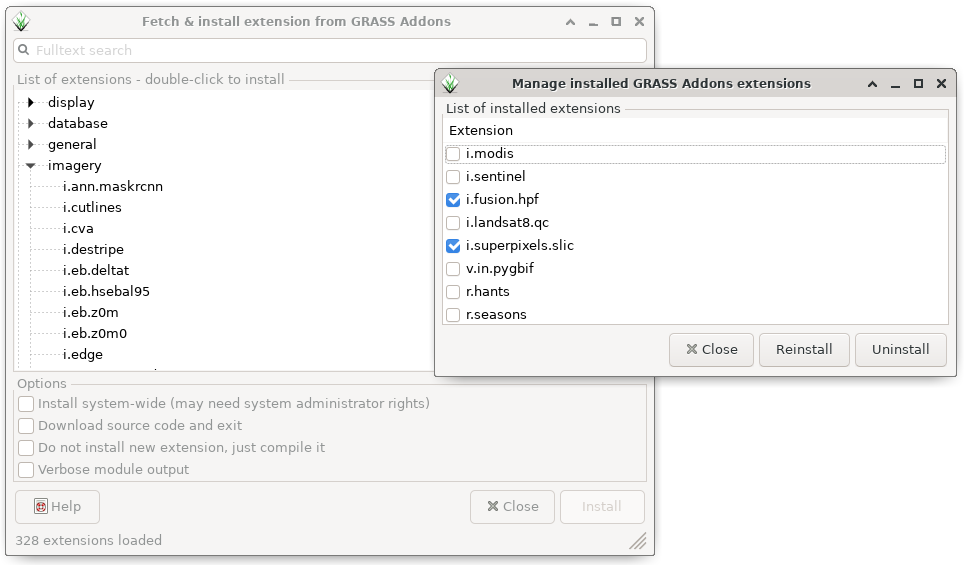
We recommend to use the wxGUI Extension Manager to install Addons. In the main menu:
Settings -> Addon extensions -> Install extensions from addons
 <
<Command line
g.extension extension=r.fuzzy.system
Python
Addons can also be installed from the Python using either the grass.script
or grass.tools modules. For example, to install the r.fuzzy.system
addon with grass.script:
import grass.script as gs
gs.extension(extension='r.fuzzy.system')
or with grass.tools:
from grass.tools import Tools
tools = Tools()
tools.g_extension(extension='r.fuzzy.system')
Source
The Addons source code is also hosted in GitHub:
git clone https://github.com/OSGeo/grass-addons
To manually compile individual addons see the compile and install wiki page.